
Effortless Typst typesetting,
rendered in real-time.
The local-first Typst workspace built for speed. Enjoy keystroke-by-keystroke preview, privacy-respecting grammar checks, and instant local snapshots.
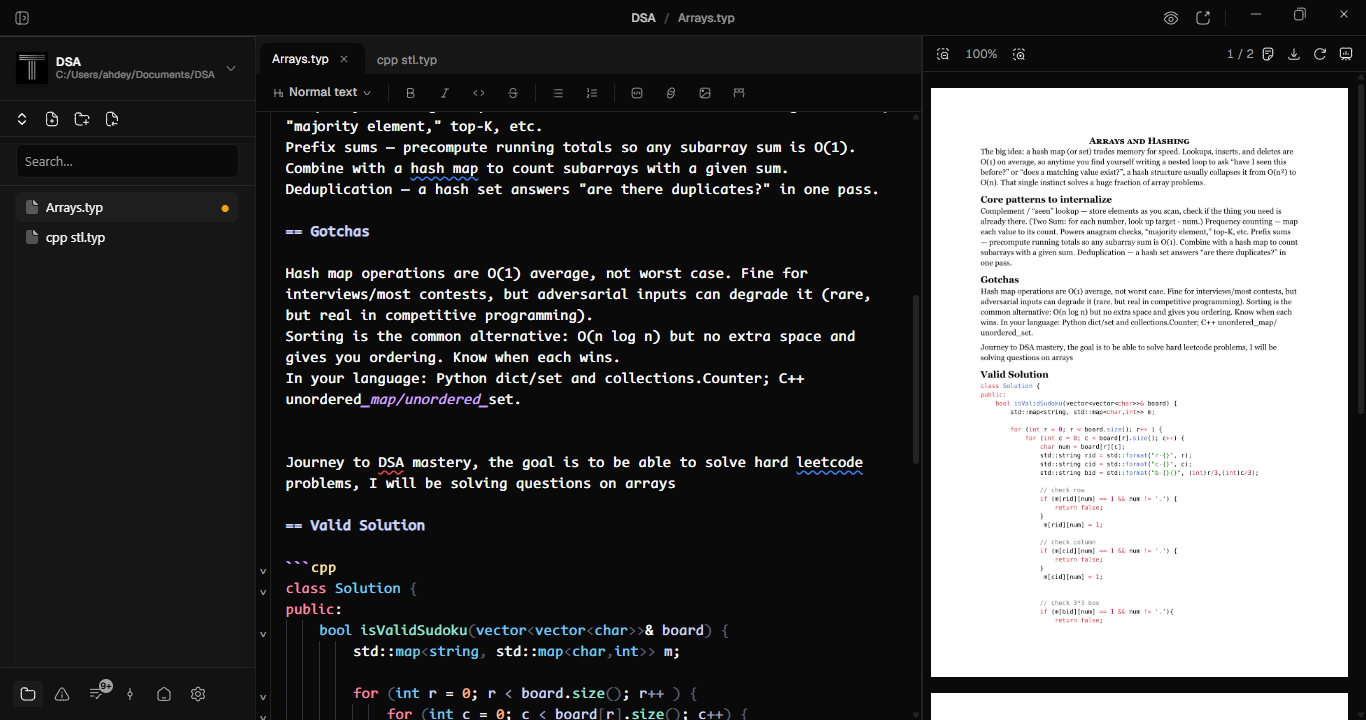
Live Preview: Recompiles as you type with sub-100ms updates. Supports full-screen presentation mode on desktop.
Everything you need to write and publish.
Every feature is native, locally executed, and tuned for responsive performance.
Your document recompiles as you type with sub-100ms updates. On desktop, project full-screen slides onto external displays with a dedicated presenter view, speaker timers, next-slide previews, and instant slide navigation.
Full Typst highlighting across markup, math, and code blocks, including embedded languages inside raw code fences.
Click directly in the preview to jump to the matching source line. Move your cursor in code and watch the viewport follow.
Context-aware suggestions and hover documentation out of the box. Optionally point it at Tinymist to enhance documentation lookup.
Harper checks your prose entirely on your local machine with no text leaving your device. Dialect support with custom dictionaries.
Local snapshots taken on save or successful compile using Zstandard compression. Diff any two points and roll back files instantly.
Typstyle formats the file, the selection, or every .typ file in the workspace on command or automatically on save.
Get Typwriter Today
Native builds for Windows, macOS, Linux, and Android. Fast, local-first, zero telemetry.
Typwriter for Windows
Includes native 64-bit installer with instant preview and Typst runtime bundled.
Gatekeeper blocks unsigned binaries by default. Installation bypass instructions